Shared Availability
Overview. Shared Availability rules let you configure bookings for a team of hosts, with each booking taken by one host from the team. You can use Shared Availability rules to create bookings through…

Overview
Shared Availability rules let you configure bookings for a team of hosts, with each booking taken by one host from the team.
You can use Shared Availability rules to create bookings through web forms or as Book With Me style booking links that will allow for booking with one person from a group of people. A rule contains the hosts who work the bookings, along with the meeting configuration: team availability, meeting duration and invite contents.
Managing shared availability links requires the Booking Engine Admin permission set
Creating and Managing
Shared Availability rules are created and managed from the Shared Availability page on the Booking Settings page. From here you can add new rules from the Add Rule button, or edit an existing rule by clicking on its name. The row menus on each Shared Availability rule will let you activate/deactivate existing rules and copy the URL for the rule's booking page.
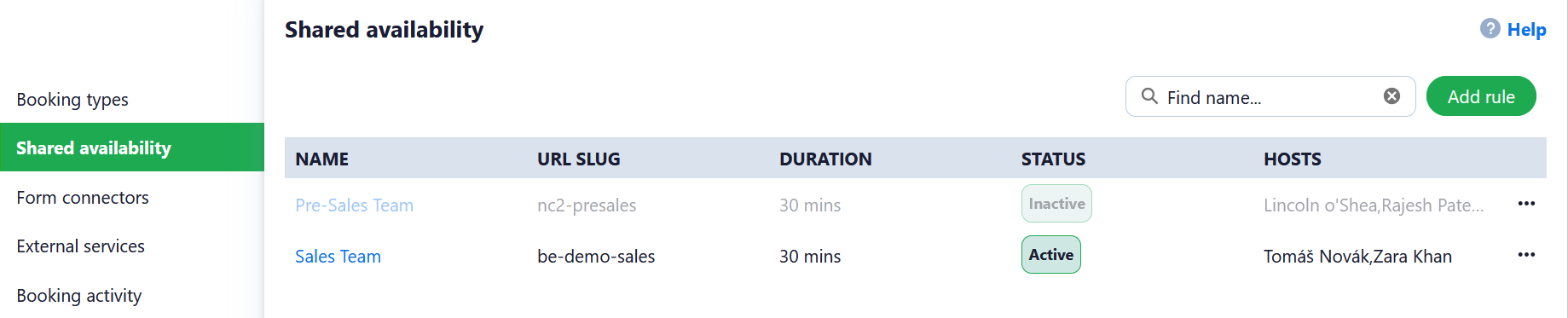
Creating or editing a Shared Availability Rule
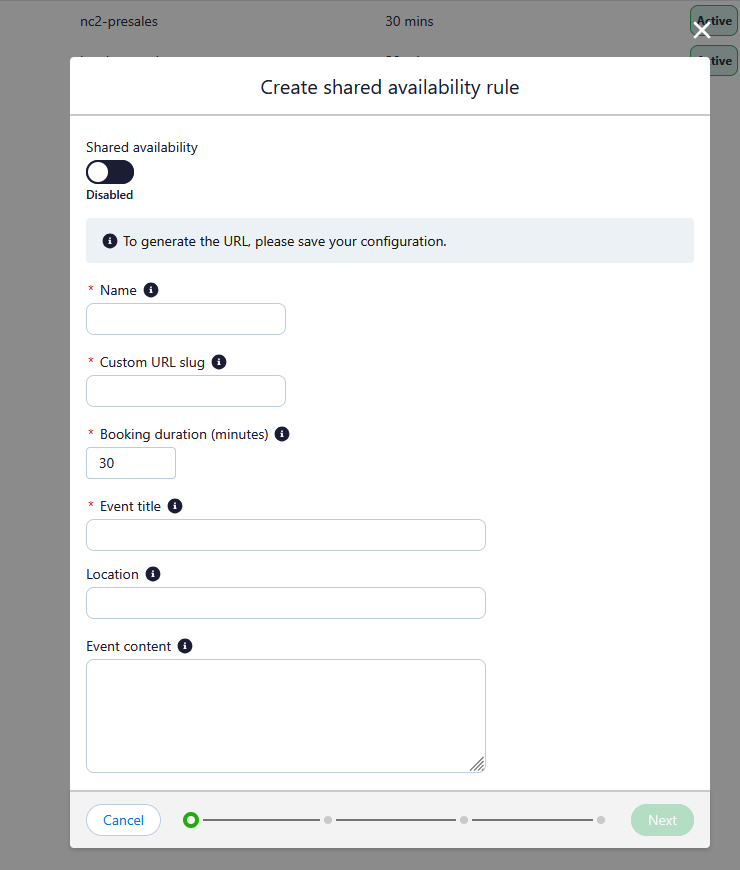
The first page of the shared availability rule editor contains information about the rule itself as well as the bookings that will be created.
You will need to populate the following fields:
- Enabled/Disabled: If enabled, the shared availability rule is active. When active bookings are able to be taken from the booking URL and web forms can use the shared availability rule to route bookings.
- Name: The unique name that this shared availability rule will use.
- URL Slug: A unique URL ending that will be used as part of the booking link for this shared availability rule. URL slugs must be between 5 and 50 characters and only user lowercase letters, numbers and dashes.
- Booking Duration: The length of time allocated for the meeting on calendar invites.
- Invite settings: The Event title, Location and Event content fields allow you to populate the appropriate fields on the calendar invite email.
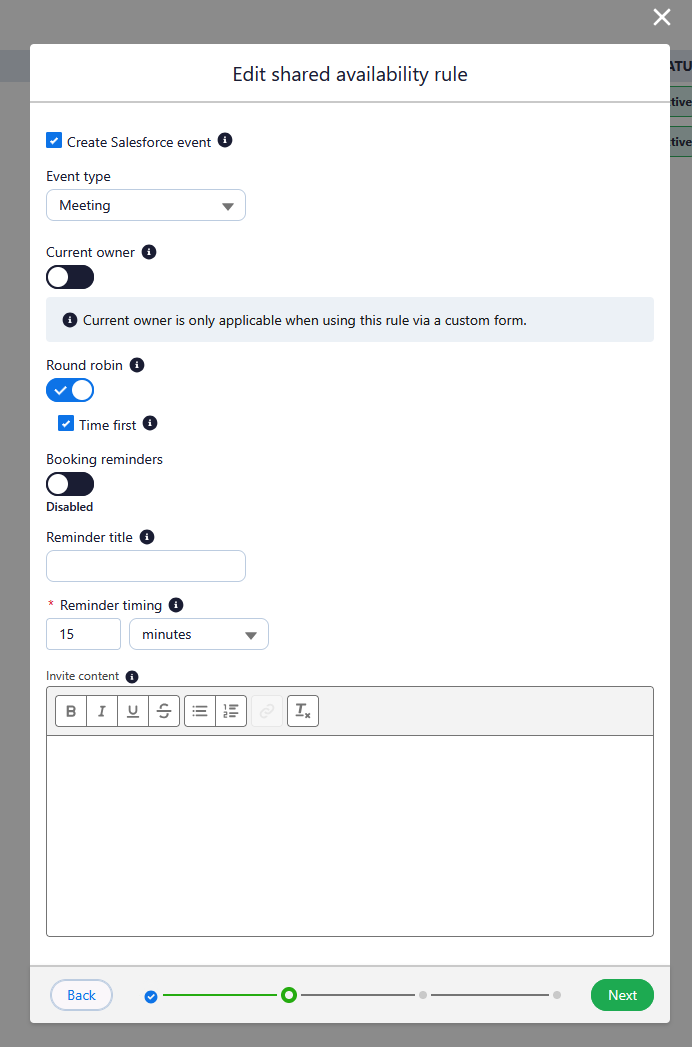
The second page contains settings relating to Salesforce events, assignment methods and reminders.
- Create Salesforce Event: If enabled, any bookings created with this shared availability rule will create a Salesforce event related to the appropriate record.
- Event Type: Defines what type of event is created in Salesforce
- Current Owner: available for web forms only. If enabled, and the submitted form data matches an existing record, the booking is assigned to that record's owner - provided the owner is listed as a host on the rule. If the data doesn't match, or the host is not the owner of a record, the rule will fall back to Round Robin.
- Round Robin: The standard method of assignment. Prioritizes the host who was last assigned a booking longest ago.
- Time First: If enabled, this will maximise the booking slots shown to the guest, by showing the availability across all users. Within the chosen time slot, if more than one host is available, it will prioritise the host who was last assigned a booking longest ago.
- Booking Reminders: If enabled, guests will be sent a reminder email at a designated time before their booking. You can populate the time the reminder is sent and the contents of the email.
Availability
You are able to define the hours of availability that meetings can be booked through this shared availability link. These availability hours apply to all hosts for the rule. You can select the appropriate timezone, and then enable the working days. For each working day you can select the working hours. The copy to all button allows you to quickly set up a uniform schedule across all working days.
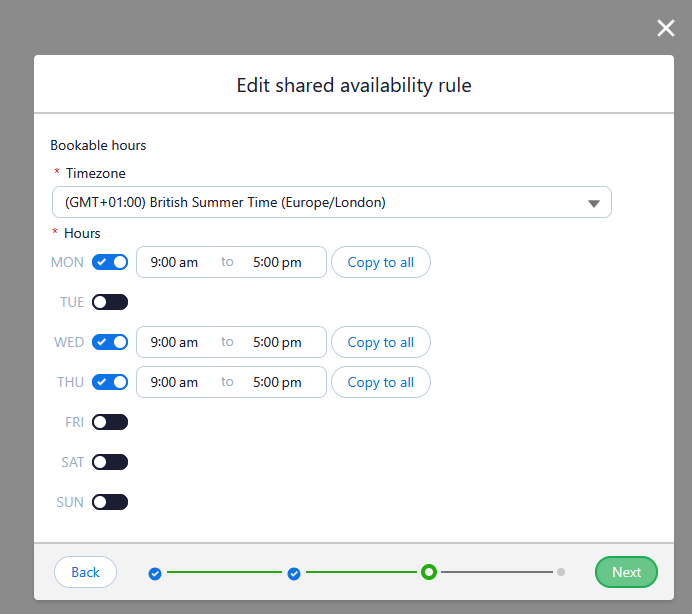
Hosts
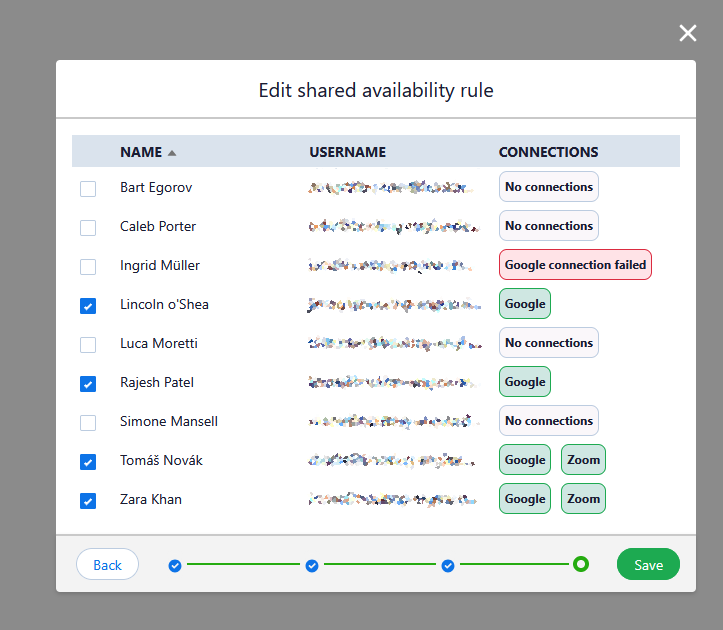
This page allows you to select the hosts who can recieve meeting bookings from this rule. This list is populated by all users with the Booking Engine host permission set.
You can also see the status of each users connections from this page.
How did we do?
Booking Activity
Form connectors